Gazebo Installation#
Added in version Jazzy: This section.
Warning
This topic is under construction and this might not even be its final form. Please feel free to open an issue if you spot any typos or other problems.
The following command will install Gazebo Harmonic and all the pairing libraries for ROS2 Jazzy. This is currently the only version known to be compatible with this tutorial.
#!/bin/bash
set -e

# Update and upgrade apt-get
sudo apt-get update
sudo apt-get upgrade -y

# https://gazebosim.org/docs/harmonic/install_ubuntu/
sudo apt-get install -y curl lsb-release gnupg

# Install gazebo harmonic (https://gazebosim.org/docs/harmonic/install/)
sudo curl https://packages.osrfoundation.org/gazebo.gpg --output /usr/share/keyrings/pkgs-osrf-archive-keyring.gpg
echo "deb [arch=$(dpkg --print-architecture) signed-by=/usr/share/keyrings/pkgs-osrf-archive-keyring.gpg] http://packages.osrfoundation.org/gazebo/ubuntu-stable $(lsb_release -cs) main" | sudo tee /etc/apt/sources.list.d/gazebo-stable.list > /dev/null
sudo apt-get update
sudo apt-get install -y gz-harmonic

## Install pairing ROS pairing libraries
sudo apt-get install -y ros-jazzy-ros-gz
Danger
If your intention is to follow these tutorials, please do not attempt to install it following any other documentation. This could lead to a different version being installed and this tutorial is unlikely to work.
Here is the description of the packages we are installing. You can notice that the packages are being used in the commands to add the Gazebo Harmonic packages to our apt sources. We’re just telling apt where to find the packages and install those.
Helps download files from the terminal. |
|
The lsb_release command is a simple tool to help identify the Linux distribution being used and its compliance with the Linux Standard Base. |
|
GnuPG is an universal crypto engine which can be used directly from a command line prompt, from shell scripts, or from other programs. |
Running Gazebo#
Note
The gz sim command might not work if you have issues in your network configuration. You might need to enable this through your firewall.
sudo ufw allow 10317:10318/udp
Danger
Obviously do not do this unless you need to, check with only gz sim first. Exposing ports through the firewall
might leave your computer exposed to malicious actions.
Content from ROS 2 Networking and Communication
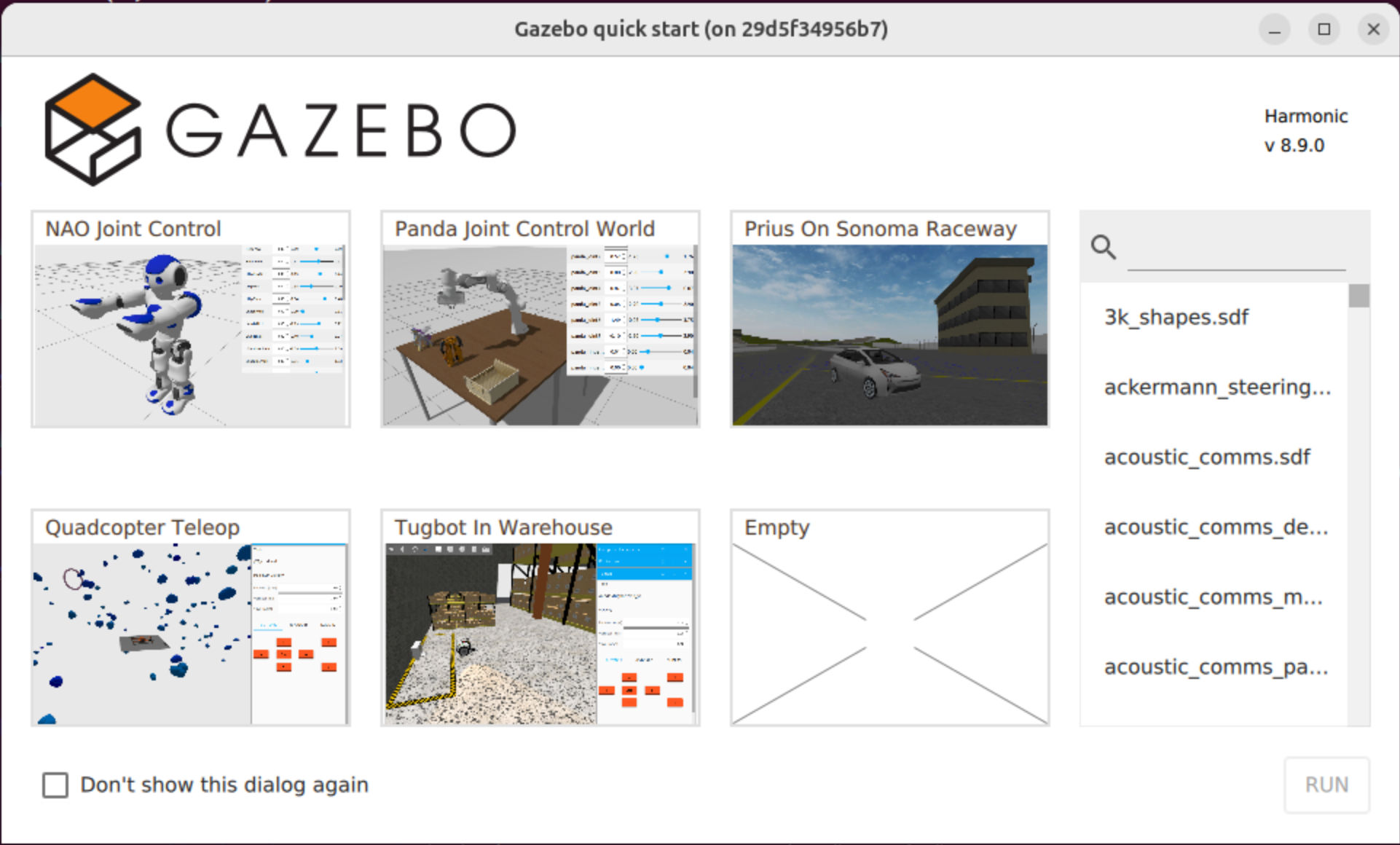
After installation, Gazebo Harmonic can be run with the following command
gz sim
Which should result in something similar to the following, if the installation went well.
Danger
The 3k_shapes.sdf is current freezing all my machines. Click at your own risk.
Other scenes seem to be working in general.