Attention
This is older information related to ROS2 Humble. Newer versions, such as Jazzy, are part of the ongoing versions of this tutorial.
Note
This section is optional, the ROS2 tutorial starts at ROS2 Installation.
Editing Python source (with VS Code)
There are near-infinite ways to manage your Python code and, in this section, we will use VS Code.
Installing VS Code
It is important to have a predicable environment for the tutorial, therefore we will download a particular version of VS Code.
Run
cd ~
mkdir ros2_workspace_vscode
cd ros2_workspace_vscode
wget -O code_1.93.0-stable_amd64.deb https://update.code.visualstudio.com/1.93.0/linux-deb-x64/stable
sudo dpkg -i code_1.93.0-stable_amd64.deb
Running VS Code
It will be installed as a regular Ubuntu application, so you can find it by searching for “Visual Studio Code”. It is also beneficial to right-click the icon in search and choose “Add to Favourites”.
Adding the ROS plugin to VS Code
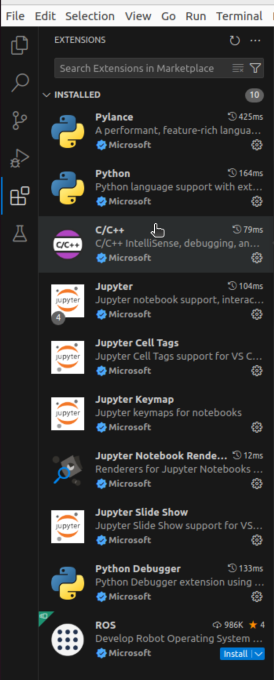
Open the extensions tab with CTRL+SHIFT+X.It will open a tab like so.
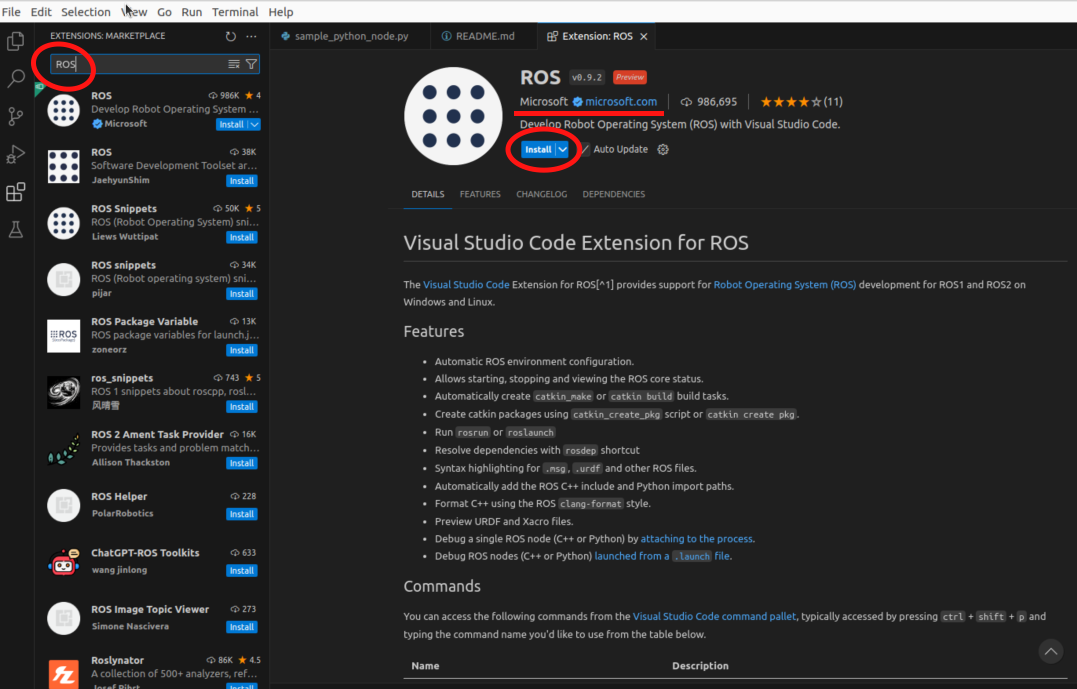
Search for “ROS” and click “Install”. Please be careful to choose the Microsoft plugin. There are many other plugins with the same name, but made by others.
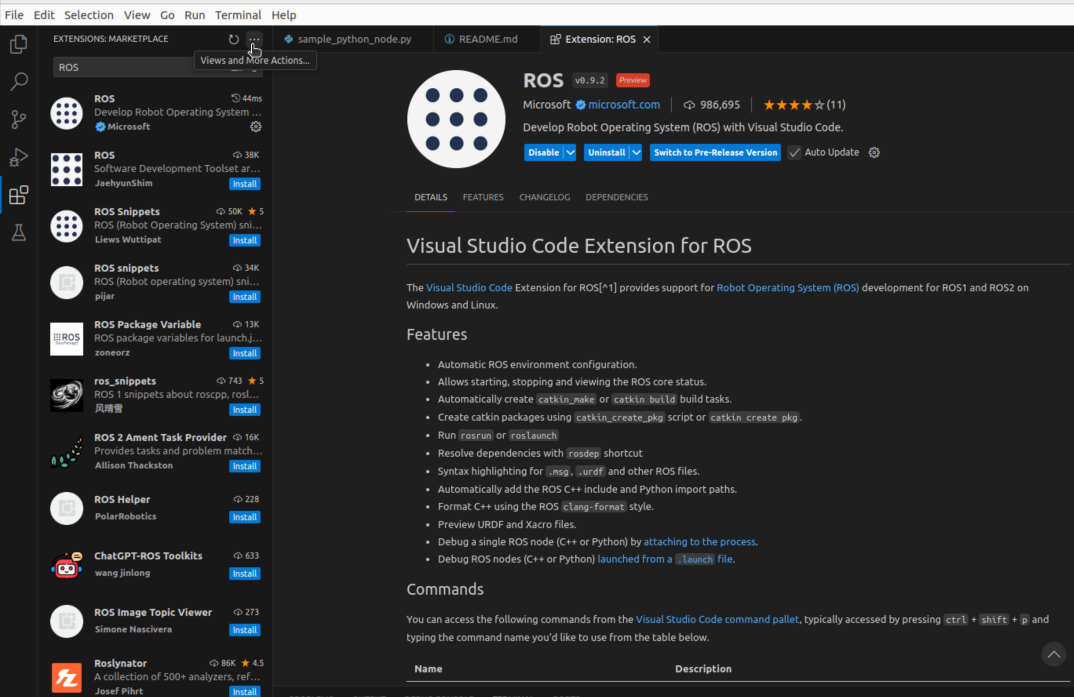
After the installation is successful, the menu will change like so.